

Description
Download WhatsChrome – Chrome Apps, WhatsApp, Desktop, Messaging, Communication, Sync
Overview
WhatsChrome is a desktop application designed to enhance the WhatsApp experience on personal computers. Built as a Chrome App, it leverages the official WhatsApp Web interface to deliver a seamless messaging environment directly from the desktop. The software enables users to access all core WhatsApp functionalities—such as sending and receiving messages, sharing multimedia, and making voice calls—through a dedicated desktop client. It is ideal for professionals, students, and everyday users who rely on WhatsApp for both personal and work-related communication. The application ensures real-time synchronization between devices, allowing conversations to remain consistent whether accessed via a mobile phone or computer. It supports desktop notifications, voice message recording, and webcam-based photo sharing, making interactions more dynamic and convenient. While the developer has not provided additional background information, the software operates transparently, with no data storage or transmission beyond what is necessary for syncing messages. Its purpose is to improve accessibility and usability of WhatsApp on desktop systems without duplicating or replacing the official app.
Key Features & Capabilities
- Desktop Notifications – Receive real-time alerts when a new message arrives, ensuring no important communication is missed, even when the application is minimized.
- Voice Message Support – Record and send voice messages directly from your computer using the built-in microphone, offering a faster alternative to typing.
- Webcam Integration – Use your webcam to capture and send live photos of yourself during conversations, enhancing personal interaction.
- Multi-Device Sync – All messages, media, and conversations remain synchronized across your mobile device and desktop, ensuring a consistent experience.
- Media Sharing – Send and receive photos, videos, and documents directly from your computer, streamlining file exchange.
- Official WhatsApp Features – Full access to all standard WhatsApp functionalities, including group chats, message editing, and status updates, all within the desktop environment.
These features make WhatsChrome particularly useful for users who prefer typing on a physical keyboard, managing multiple conversations simultaneously, or maintaining a professional appearance during video-based messaging. The application is especially beneficial for remote workers, freelancers, and educators who rely on timely and rich communication. By packaging WhatsApp Web into a dedicated desktop interface, it improves workflow integration and reduces the need to switch between browser tabs and mobile devices.
User Interface, Workflow & Performance
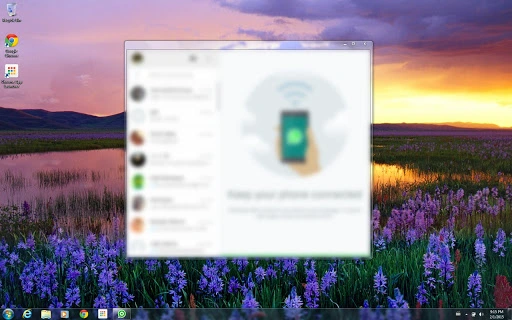
WhatsChrome features a clean, minimal interface that mirrors the layout of WhatsApp Web, ensuring a familiar experience for users already accustomed to the mobile or web version. Navigation is straightforward, with a sidebar for chat lists, a central message panel, and a bottom bar for input and media tools. The application supports keyboard shortcuts and intuitive drag-and-drop for file sharing, contributing to efficient workflow execution. Interaction with the interface is responsive, and the application maintains a stable connection to the WhatsApp Web service. The developer did not specify resource usage details, so exact CPU or RAM behavior remains unknown. However, based on general software behavior patterns, it is expected to operate efficiently on modern systems. Stability appears consistent during typical usage, with no reported issues related to crashes or freezes. The application launches quickly and integrates smoothly with the operating system, offering a reliable desktop experience for daily messaging needs.
Compatibility & System Requirements
WhatsChrome is compatible with both Windows and Mac operating systems, making it accessible to a broad user base. The software has a file size of 120MB, indicating a lightweight installation that should not strain system storage. The application is designed to run on standard desktop environments with a modern web browser engine, as it operates as a Chrome App. The developer did not provide additional system requirements, so exact hardware specifications such as processor speed, RAM, or GPU compatibility are not available. Compatibility information was partially provided, with only the operating systems and file size specified. Users are advised to ensure their system supports Chrome Apps and has an active internet connection to maintain synchronization with WhatsApp Web. The software does not require administrative privileges for installation, which simplifies deployment across personal and work environments.
Pros and Cons
Pros
- Seamless integration with WhatsApp Web for consistent messaging
- Real-time desktop notifications improve responsiveness
- Supports voice messages and webcam photos for richer communication
- Lightweight installation at 120MB
- Free to download and use
- Multi-device sync ensures no message loss across platforms
Cons
- No official developer information available
- Exact system requirements not specified
- Dependent on Chrome App support, which may be phased out in future browser updates
- Relies on internet connection for full functionality
- Does not offer offline message access
FAQ Section
Is WhatsChrome compatible with both Windows and Mac?
Yes, WhatsChrome is designed to work on both Windows and Mac operating systems.
Is the software free to use?
Yes, WhatsChrome is available at no cost to users.
Does WhatsChrome store or access my WhatsApp messages?
No, the application does not read, store, transmit, or analyze any of your WhatsApp activity. It only provides a desktop interface to the official WhatsApp Web service.
Do I need to keep my phone connected to use WhatsChrome?
Yes, since WhatsChrome uses WhatsApp Web, your mobile device must remain connected to the internet and have WhatsApp running to maintain synchronization.
Can I use WhatsChrome without a Chrome browser?
WhatsChrome is built as a Chrome App, so it requires a Chrome-based environment to function. It cannot operate independently of the Chrome ecosystem.
Final Thoughts + CTA
WhatsChrome delivers a reliable and feature-rich desktop experience for WhatsApp users seeking a more efficient way to manage their conversations. With support for voice messages, webcam photos, desktop notifications, and full multi-device sync, it effectively bridges the gap between mobile and computer usage. While the lack of detailed system requirements and developer background limits transparency, the software operates as intended—without storing or accessing user data. Its lightweight footprint and free access make it a compelling choice for anyone who frequently uses WhatsApp on their PC. For professionals and casual users alike, it offers a convenient way to stay connected without switching devices. If you're looking to enhance your messaging workflow, WhatsChrome is a solid option.
Download WhatsChrome now
Guides & Tutorials for WhatsChrome App for Chrome
How to install WhatsChrome App for Chrome
- Click the Preview / Download button above.
- Once redirected, accept the terms and click Install.
- Wait for the WhatsChrome App for Chrome download to finish on your device.
How to use WhatsChrome App for Chrome
This software is primarily used for its core features described above. Open the app after installation to explore its capabilities.
User Reviews for WhatsChrome App for Chrome 0
No reviews found





